

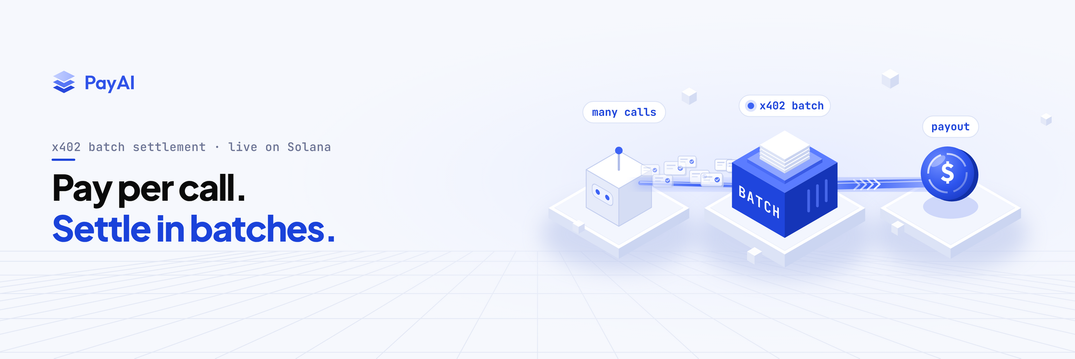
PayAI’s x402 batch settlement is now live on Solana. An AI agent deposits USDC, a digital token designed to track the US dollar. It can then use that balance for many API calls, such as requests to an AI model. The service tracks the amount spent and collects payments in batches at regular intervals.
This means fewer blockchain transactions for repeated requests, which can reduce payment costs. You can get started without a PayAI account or API key. Usage fees and limits still apply.
To add batch payments to your API, follow our Solana batch settlement guide for setup, current limits and how to check that payments arrive.
Why per-request settlement adds up
Agents can make thousands of calls an hour: model calls, data pulls and tool invocations, each priced at a fraction of a cent. With a separate on-chain transfer for every request, transaction costs can become a material part of the bill. Our guide to micropayments explains how payment costs affect pricing.
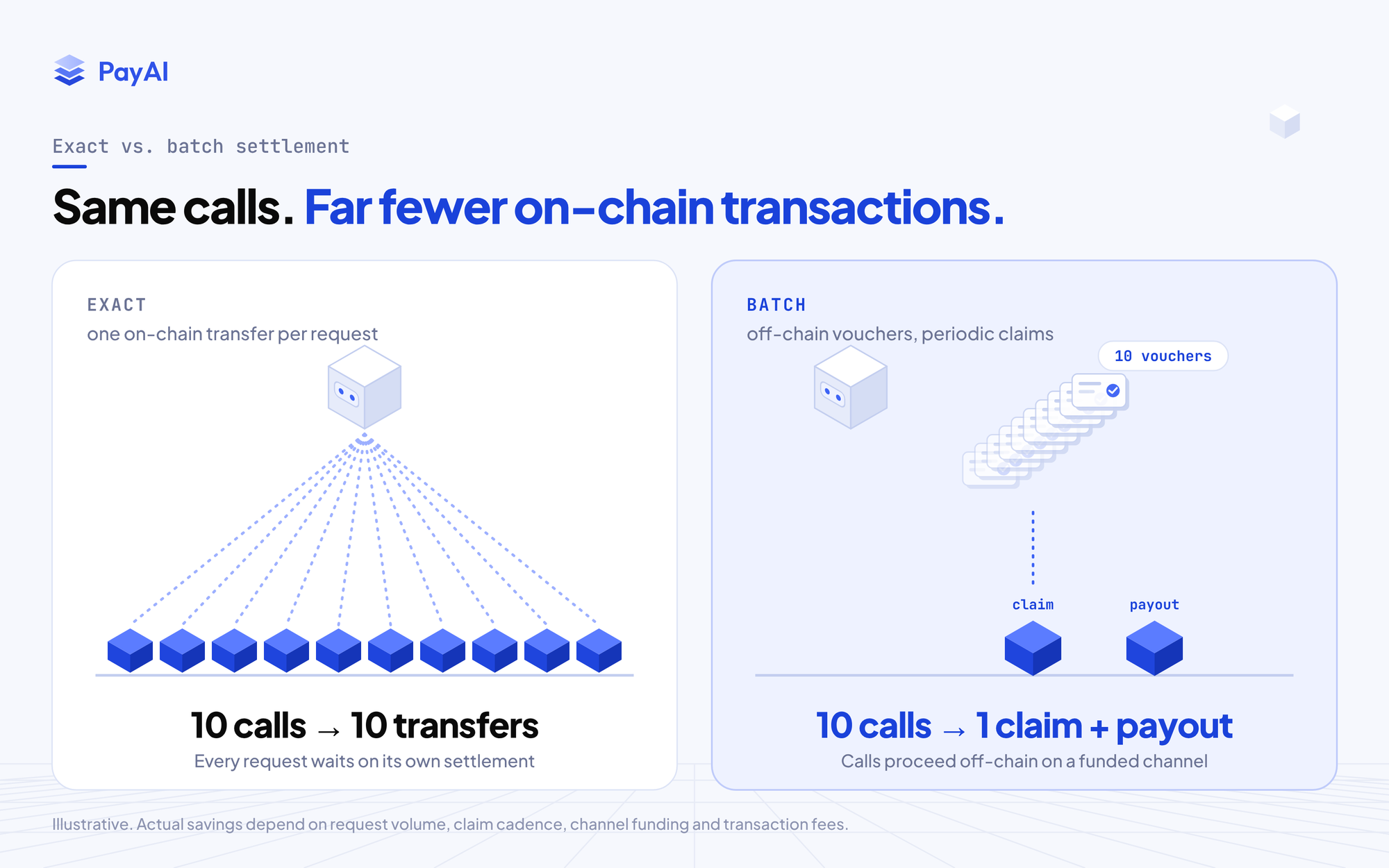
Batch settlement reduces the number of on-chain operations needed for those calls. The savings depend on request volume, channel funding, claim cadence, transaction fees and facilitator pricing. A reusable channel still needs deposits, payouts and eventual closure.
It can also remove the wait for a new on-chain settlement from ordinary requests on a funded channel. Actual response time still depends on the API, model and network.
How x402 batch settlement works on Solana
Batch settlement separates authorizing a payment from settling it. Think of a running tab: requests add to the amount owed, and the merchant collects it at intervals while the channel stays open.
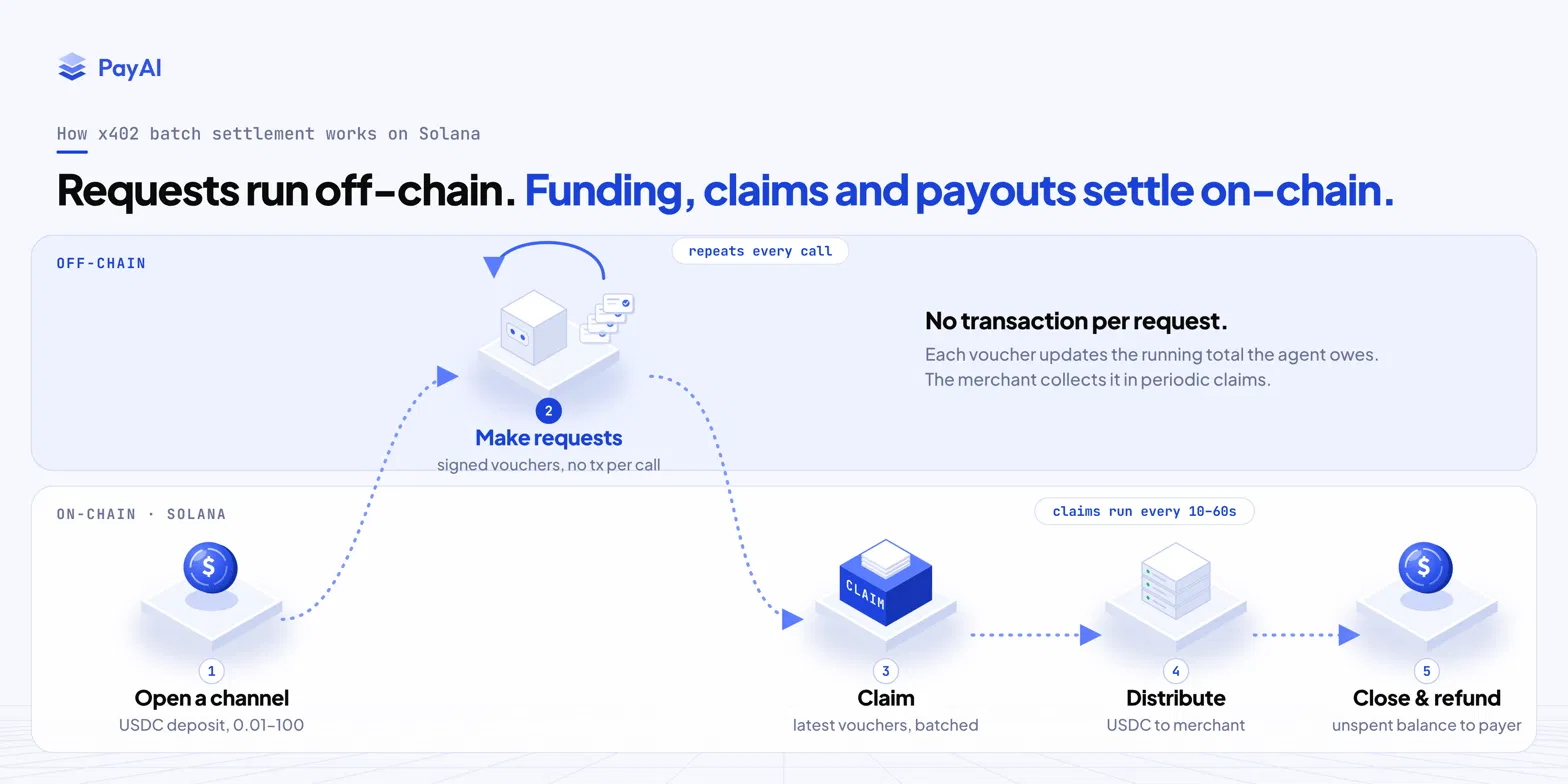
- Open a channel. The agent deposits USDC into a Solana payment channel. New channels accept 0.01–100 USDC as the initial deposit. PayAI sponsors channel setup and transaction fees; usage pricing is separate.
- Make requests. The client authorizes spending under the channel’s terms. Signed vouchers record the cumulative amount owed, so ordinary calls on a funded channel can proceed off-chain.
- Claim. The merchant’s channel manager submits the latest vouchers on-chain on a short cadence. The guide suggests every 10–60 seconds, comfortably inside the withdrawal grace period.
- Distribute. A distribution pays the claimed USDC to the merchant’s receiving account. A successful claim alone is not proof that the merchant has been paid.
- Close and refund. When closing the channel, complete outstanding claims and payouts, observe the agreed withdrawal grace period, and verify that the remaining balance returns to the payer.
“Settle once” means combining charges from many calls into a settlement. An active channel may have many claim and distribution transactions over its lifetime. The initial deposit cap is not a lifetime balance limit; top-ups and the customer’s own escrow cap also matter.
Vouchers can be signed two ways. In client mode, the agent signs each voucher. In server mode, the agent trusts a merchant operator key to sign cumulative charges after metering actual usage. That mode fits inference and compute, where the final cost is known after the work finishes. The request carries a maximum price, and the SDK supports charging from zero up to that ceiling.
What changes for customers and merchants
- Fewer on-chain operations per call. Periodic claims spread settlement costs across requests.
- Metered charges. A service can charge for the tokens or compute used after the work completes.
- Explicit operator trust. In server mode, the operator can authorize charges up to the funded balance. The on-chain program does not check whether the application measured usage correctly. Customers should allowlist trusted operators and cap their total escrow, including top-ups.
- A payout worker to operate. Merchants must retain vouchers in durable storage, run claims and distributions, and verify USDC receipts. Unclaimed vouchers can become lost revenue if the merchant stays offline through closure.
- An upstream protocol. The official x402 packages implement the scheme. Read the Solana batch-settlement specification for channel and authorization rules.
Where batch settlement fits
Batch is useful when a customer makes repeated calls to a service and can prefund a channel. Common workloads include:
Use case | Why batch fits |
|---|---|
AI inference and model routing | Hundreds of model calls per task; final cost known only after the tokens are generated. |
Agent tools and MCP servers | Many tiny tool calls per session; per-call settlement can be a large share of the cost. |
Metered data APIs | Market data, on-chain analytics, search and retrieval priced per query at sub-cent levels. |
Compute, rendering and crawling | Jobs measured after completion, billed against a pre-funded ceiling. |
Streaming and session access | Pay-as-you-consume over a session, settled in periodic claims. |
Exact vs. batch settlement
Choose based on how customers use your service and the payment state you are prepared to operate.
| Decision | Exact settlement | Batch settlement |
|---|---|---|
| Payment flow | A separate on-chain transfer per request | A funded channel with off-chain charges and periodic payouts |
| Customer funding | Pay for each request | Prefund reusable escrow and top up when needed |
| Merchant operations | Verify and settle each payment | Maintain durable channel state and a claim/distribution worker |
| Trust | Customer signs the exact payment | Client-signed vouchers, or explicit trust in a merchant operator with an escrow cap |
| Typical fit | Occasional or independent purchases | Repeated small requests and metered sessions |
BlockRun and Kognai
BlockRun’s ClawRouter changelog documents opt-in Solana batch settlement for non-streaming chat completions. With CLAWROUTER_SOLANA_BATCH=1, the client uses a funded channel for those calls and explicitly trusts BlockRun’s operator. The release leaves images, audio, video and other endpoints on exact.
PayAI has also reported Kognai using batch settlement on Solana for agent payments.
Batch settlement on Base
PayAI also serves batch settlement on Base mainnet and Base Sepolia. The channel lifecycle and SDK integration differ from Solana; use the Base batch settlement guide for that implementation.
On Base, public access requires no API key when you manage your own receiver authorizer. PayAI relays the on-chain transactions and pays gas, then prices each relayed leg at observed gas plus 30%. Public usage draws on 1,000 free credits and is refused when they run out; authenticated merchants can continue with purchased credits. Gas sponsorship does not mean unlimited free settlement.
Know before you ship
Solana batch settlement is available in production, with channel and deposit limits. The following limits reflect the Solana integration guide at the time of this update. Check the facilitator’s live supported schemes before opening channels.
Limit | Current limit |
|---|---|
Asset | USDC on Solana mainnet |
New channel deposit | 0.01–100 USDC |
Open or closing channels per merchant identity (including reservations) | 10 |
Sponsored channels, service-wide | 1,000, including reservations |
Channels per claim transaction | Up to 4 |
Withdrawal grace period | 15 minutes to 24 hours |
Notice for a planned stop to new-channel admission | At least 30 days; incidents or safety issues can pause admission sooner |
Use durable storage such as Redis or PostgreSQL for channel state, vouchers and pending operations, and run the payout worker frequently. Verify the distribution transaction and the increase in your receiving account’s USDC balance. The 72-hour idle cleanup window does not extend the withdrawal grace period of a channel already closing.
Get started with Solana batch settlement
- Follow the Solana batch settlement guide and read the active terms from
GET /supported. - Prepare your receiving wallet’s USDC token account, either directly or through the merchant portal. This has a separate one-time rent requirement; portal sponsorship depends on eligibility.
- Install matching versions of the upstream
@x402/coreand@x402/svmpackages. Solana batch support starts at 2.28.0. - Configure durable storage, operator trust and deposit caps, then run the claim and distribution worker.
- Test a small channel through actual USDC payout, retries, process restart, refund and closure before increasing deposits or accepting customer traffic.
New to x402? Read our x402 payment protocol guide for the conceptual payment flow. Use the x402 introduction and quickstart for implementation, then return to the batch settlement guide.
Open the Solana batch settlement guide to configure your first channel and verify the full payment lifecycle.